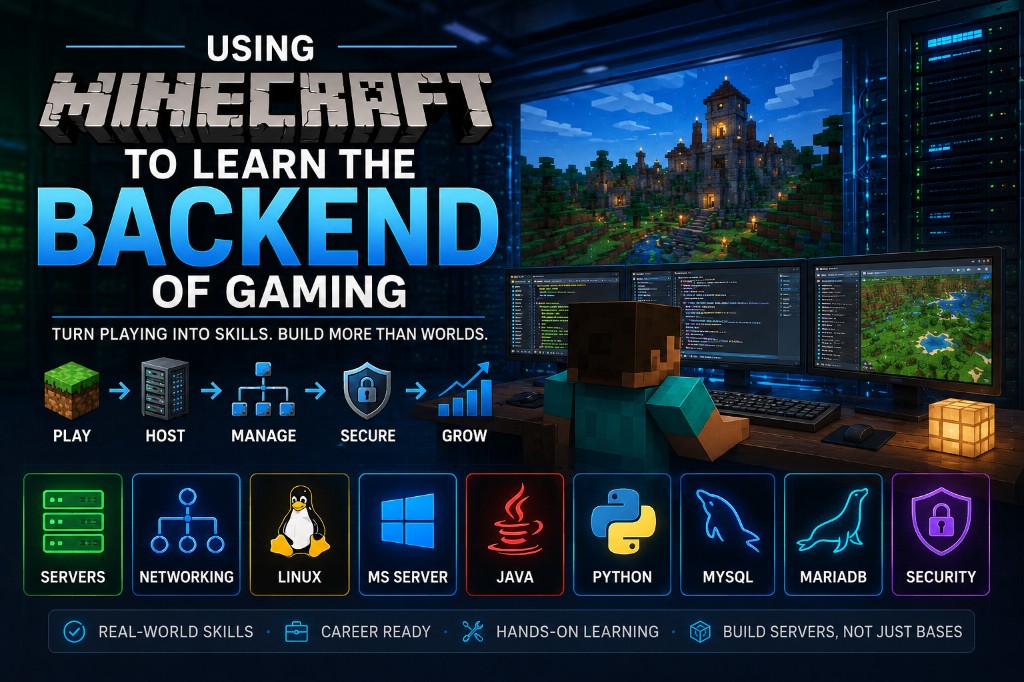
More than a game
Minecraft is fun, and running your own server is a practical way to learn backend work. You end up running a live service that other people depend on.
Hosting and managing a Minecraft server teaches the same backend skills used in real IT, hosting, datacenters, cloud systems, and game server operations. Servers, networking, Linux, Windows Server, Java, Python, MySQL, MariaDB, backups, automation, monitoring, and security all show up in a project you actually care about.
This guide is not just a server install walkthrough. It is about using Minecraft as a practical way to learn how multiplayer systems work behind the scenes.
Build your first Minecraft server
One of the most rewarding parts of learning backend gaming is building the hardware that powers your server.
Many IT professionals started by turning an old computer into a game server and gradually learned operating systems, networking, storage, virtualization, backups, and security. Minecraft gives you a practical reason to learn those skills because every improvement directly affects your players.
Option 1: Repurpose an old PC
An old desktop can become a dedicated Minecraft server.
Examples
- Dell OptiPlex
- HP EliteDesk
- Lenovo ThinkCentre
- Retired gaming PC
Skills learned
- Hardware upgrades
- SSD installation
- RAM upgrades
- BIOS configuration
- Operating system installation
- Remote administration
- Performance monitoring
- Hardware troubleshooting
Many successful servers begin on hardware that would otherwise be discarded.
Option 2: Build a dedicated server
Building from scratch teaches valuable hardware planning skills.
Example beginner build
- AMD Ryzen 5 or Intel Core i5
- 32GB RAM
- 1TB NVMe SSD
- Gigabit networking
- Ubuntu Server or Windows Server
Skills learned
- CPU selection
- Memory planning
- Storage design
- Cooling and airflow
- Power efficiency
- Performance tuning
Option 3: Build a real server
Some enthusiasts move beyond desktop hardware and start learning enterprise tech.
Examples
- Rackmount servers
- Dell PowerEdge systems
- HP ProLiant systems
- Lenovo ThinkSystem servers
Skills learned
- Enterprise hardware
- RAID storage
- Redundant power supplies
- Remote management (iDRAC, iLO)
- Datacenter concepts
Learn virtualization
Virtualization is one of the most important skills in modern IT. Instead of one operating system per computer, multiple virtual machines can run on the same hardware.
Physical server
- Minecraft Server VM
- Web Server VM
- Database VM
- Monitoring VM
- Backup VM
Popular platforms
VMware ESXi
Proxmox
Hyper-V
VirtualBox (learning)
Skills learned
- Virtual machines
- Resource allocation
- Snapshots
- Backup strategies
- Disaster recovery
- Infrastructure planning
Many businesses, datacenters, and cloud providers use virtualization every day.
Learn containers
Once virtualization makes sense, many people discover containers. Containers package applications into portable environments that can run almost anywhere.
Popular platforms
Docker
Docker Compose
Kubernetes (advanced)
Example Minecraft-related containers
- Minecraft server
- MariaDB database
- Web dashboard
- BlueMap
- Monitoring tools
- Discord bots
Skills learned
- Application deployment
- Automation
- Configuration management
- Scalability
- Modern infrastructure practices
Many modern companies deploy applications using containers instead of traditional server installations.
Every problem becomes an IT ticket
When players report issues, you are dealing with real operational problems.
- The server is lagging
- I can't connect
- The website is down
- The map is corrupted
- Permissions are broken
- Backups failed
Learning how to diagnose and solve those issues builds the same troubleshooting mindset used by:
Help desk technicians
Systems administrators
Network administrators
Datacenter technicians
Cloud engineers
Cybersecurity professionals
DevOps engineers
Where can this lead?
If you really embrace the backend side of Minecraft, you may be surprised where it can take you.
What starts as
- Hosting a Minecraft server for friends
- Learning Linux commands
- Opening ports on a router
- Creating backups
- Installing plugins
- Managing databases
- Building websites
→
Can eventually grow into
- Building dedicated servers
- Running enterprise hardware
- Managing virtual machines
- Deploying containers
- Designing networks
- Configuring managed switches
- Implementing cybersecurity controls
- Operating cloud infrastructure
- Managing datacenters
Many of the skills learned while running a Minecraft server overlap directly with real-world IT careers.
Certifications
As your skills grow, you may want to validate your knowledge through industry certifications.
Explore the official CompTIA certification paths:
Popular certifications
CompTIA Tech+
CompTIA A+
CompTIA Network+
CompTIA Security+
CompTIA Linux+
CompTIA Server+
These certifications cover many of the same concepts you may already be encountering while hosting and managing Minecraft infrastructure.
Bachelor's degrees and beyond
If you eventually go completely block-head nuts and start building servers, deploying virtualization platforms, learning Linux, configuring managed switches, creating secure networks, running databases, and hosting services for your friends, you may discover that many college IT concepts feel surprisingly familiar.
The same applies to many certification paths.
That does not mean certifications or a Bachelor's degree are easy, but it does mean you will be learning from real experience instead of theory alone.
When a classroom talks about
- Servers
- Networking
- Operating systems
- Virtualization
- Databases
- Security
- Cloud computing
You can often say: “I've actually done that.”
The best part
The best part is that you do not have to learn alone.
Your friends become your users.
Every time someone joins your server, builds a house, opens a shop, explores a world, reports a bug, or asks for a new feature, they are helping you become a better administrator, engineer, and problem solver.
You are not just maintaining a Minecraft world.
You are building something people enjoy.
And that world runs on your hard work.